EMP501 can become a headache when your payroll figures, EMP201 declarations, SARS payments and employee tax certificates do not agree.
And if you only discover a problem when you are ready to submit, you may have very little time to work out where the discrepancy came from.
The good news is that an EMP501 reconciliation becomes much easier when your payroll records and employer tax information are reviewed beforehand.
This guide explains what EMP501 is, who needs to submit it, the 2026 deadline, what information SARS requires, how EMP501 differs from EMP201, common problems employers encounter and what you should check before submitting.
If you are preparing your employer reconciliation now, use this as a practical EMP501 checklist rather than waiting until the deadline.
What Is EMP501?
An EMP501 is an employer reconciliation declaration submitted to the South African Revenue Service (SARS).
It brings together information reported by an employer during the reconciliation period, including:
- PAYE
- UIF
- SDL, where applicable
- Employment Tax Incentive (ETI), where applicable
- Payments made to SARS
- Payroll information
- IRP5/IT3(a) employee tax certificates
In simple terms, the EMP501 gives SARS a consolidated view of your employer tax information for the relevant reconciliation period.
SARS requires employers to reconcile their EMP201 declarations, payments and IRP5/IT3(a) certificates as part of the employer reconciliation process.
That means you should not think of EMP501 as just another form to complete.
It is a reconciliation exercise. Your underlying payroll information needs to support what has already been declared and paid.
When Is the EMP501 Deadline in 2026?
For the 2026 interim employer reconciliation, the EMP501 submission period runs from:
21 September 2026 to 31 October 2026.
The reconciliation covers the first six months of the 2027 tax year:
1 March 2026 to 31 August 2026.
That means employers should already be preparing their information rather than waiting until the final week.
SARS has specifically advised employers to ensure that payroll and employee information is accurate, confirm that employees have valid Income Tax reference numbers and use the latest e@syFile™ Employer requirements.
EMP501 2026 deadline at a glance
| EMP501 requirement | 2026 interim reconciliation |
|---|---|
| Submission opens | 21 September 2026 |
| Submission deadline | 31 October 2026 |
| Reconciliation period | 1 March 2026 – 31 August 2026 |
| Submission channels | eFiling or e@syFile™ Employer |
| Key information | EMP201s, payments, payroll data and IRP5/IT3(a)s |
Don’t wait for 31 October to discover that your payroll information does not reconcile.
EMP501 vs EMP201: What’s the Difference?
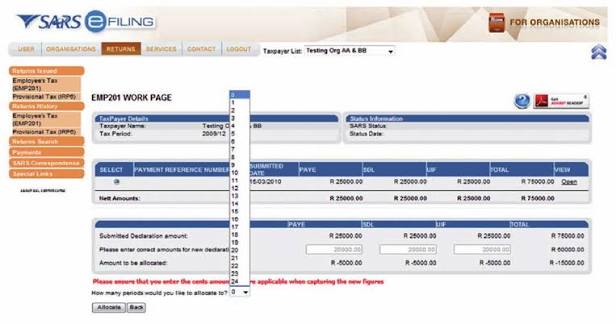
If you are an employer, it is important to understand that EMP201 and EMP501 are not the same thing.
What is an EMP201?
The EMP201 is the employer’s monthly declaration.
It is used to declare employment tax obligations such as PAYE, UIF and SDL, where applicable, as well as ETI where relevant.
What is an EMP501?
The EMP501 is the reconciliation.
It brings together the information reported during the reconciliation period and compares it against the relevant payroll information, employee tax certificates and payments.
A simple way to remember it is:
EMP201 = monthly declaration
EMP501 = employer reconciliation
If your monthly declarations have not been kept accurate, those differences can become a problem when you reach the EMP501 stage.
This is one reason why keeping your payroll records organised throughout the year is so important.
If your business needs ongoing assistance with employee payroll administration and compliance, you can also explore our payroll services in South Africa.
What Does SARS Need for an EMP501?
Before starting your reconciliation, you need to make sure the underlying information is accurate.
For the 2026 interim reconciliation, SARS says the EMP501 should reflect reconciled PAYE, UIF and SDL values, actual payments made during the period, and accurate payroll and employee information.
Here are the main areas to check.
1. Your EMP201 declarations
Start with the EMP201 returns you submitted during the reconciliation period.
Check whether the PAYE, UIF, SDL and other relevant amounts agree with your payroll records.
If something does not match, investigate the difference instead of simply changing a figure to make the reconciliation balance.
2. Payments made to SARS
Your reconciliation should also take actual payments into account.
Review your SARS payment records and compare them with the liabilities declared during the period.
Remember that SARS specifically distinguishes actual payments from penalties and interest when determining the information that must be reflected in the reconciliation.
3. Payroll records
Your payroll is the starting point for much of the information that ultimately reaches SARS.
Check for:
- Employees who were added or removed during the period
- Incorrect remuneration figures
- Incorrect deductions
- Payroll adjustments
- Incorrect PAYE calculations
- Missing employee information
- Incorrect tax numbers
- Incorrect source codes
If your payroll records are difficult to reconcile, it may be a sign that your payroll process needs attention before you submit.
4. IRP5/IT3(a) certificates
Your employees’ tax certificates need to reflect accurate information.
This is particularly important because SARS uses IRP5/IT3(a) information submitted through the employer reconciliation process when pre-populating employees’ individual income tax returns.
In other words, an employer payroll error can potentially create a problem for an employee when they submit their own tax return.
5. Employee Income Tax numbers
This is particularly important for the 2026 EMP501 reconciliation.
SARS says valid Income Tax numbers are mandatory and that missing or invalid numbers may result in EMP501 submissions being rejected.
If you have employees whose tax numbers are missing or incorrect, deal with those issues before you reach the final submission stage.
How to Prepare for Your EMP501 Submission
You don’t need to wait until you open eFiling or e@syFile to start preparing.
A better approach is to work through your records first.
Step 1: Review your payroll
Check that your payroll reflects the employees who worked for you during the relevant period and that remuneration, deductions and tax calculations are accurate.
Pay particular attention to employees who joined, resigned or had changes to their remuneration.
Step 2: Check your EMP201 returns
Compare your payroll information with your submitted EMP201 declarations.
If your payroll says one amount but your EMP201 says another, find out why.
Don’t simply assume that SARS has the correct information because the EMP201 was previously submitted.
Step 3: Check your SARS payments
Compare your accounting records with the actual payments made to SARS.
Look for unexplained differences, missed payments or amounts that were allocated differently from what you expected.
Step 4: Check employee tax numbers
Make sure employees who require Income Tax numbers have valid information recorded.
This is particularly important for the 2026 reconciliation because SARS has strengthened validation around employee Income Tax numbers.
Step 5: Check IRP5/IT3(a) information
Review the employee tax certificates against your payroll records.
Check remuneration, tax deducted, deductions and other relevant information before submitting.
Step 6: Investigate discrepancies
If something does not balance, find the reason.
For example, the problem could originate from:
- A payroll adjustment
- An incorrect EMP201
- A payment issue
- A payroll calculation
- Incorrect employee information
- An incorrect tax certificate
- A previous correction
The goal is not simply to make the numbers match.
The goal is to understand why they do not match in the first place.
Step 7: Submit and check the status
After submitting your EMP501, don’t simply close eFiling or e@syFile and assume everything is finished.
SARS advises employers to check their submission status and PAYE Dashboard after submitting.
That final check can help you identify processing problems before they become a bigger issue.
Common EMP501 Problems Employers Face
“My payroll figures don’t match my EMP201.”
This is one of the problems employers may encounter during reconciliation.
The difference could be caused by an adjustment, correction or payroll issue.
What to do: Go back month by month and identify where the difference started.
Don’t change the final figures simply because you want the reconciliation to balance.
“One of my employees doesn’t have a tax number.”
This can be particularly important during the 2026 reconciliation because SARS requires valid Income Tax numbers for employees who need them.
What to do: Address the employee’s tax registration or reference-number issue as early as possible.
“My IRP5 doesn’t look right.”
An incorrect tax certificate can cause problems for both the employer and employee.
SARS uses submitted IRP5/IT3(a) information when pre-populating employees’ individual tax returns.
What to do: Trace the certificate back to the payroll records and identify the source of the error before making corrections.
“My SARS payment doesn’t match my declaration.”
A payment discrepancy can make reconciliation confusing.
What to do: Compare the SARS payment information with your accounting records and the relevant EMP201 declarations.
“I left the EMP501 until the last minute.”
This is where a relatively simple reconciliation can become stressful.
If you discover missing information, incorrect employee details or discrepancies between payroll and SARS records just before the deadline, you may not have enough time to investigate everything properly.
What to do: Start early and leave time for corrections.
What Happens If You Submit an Incorrect or Late EMP501?
An incorrect reconciliation should not simply be ignored.
The appropriate correction depends on the nature of the error and what caused the discrepancy.
Late submission can also have financial consequences.
For the 2026 interim reconciliation, SARS states that late EMP501 submission can result in an administrative penalty of 1% of annual PAYE, increasing by 1% for each month the return remains outstanding, up to 10%.
There can also be implications for employers participating in the Employment Tax Incentive (ETI), including forfeiture of unused ETI in certain circumstances.
That is why it is worth dealing with discrepancies before the deadline rather than hoping they will resolve themselves.
If a payroll or SARS issue develops into a disagreement that requires further action, our SARS tax dispute services can be a relevant next step.

Your EMP501 Checklist
Before submitting your EMP501, work through this checklist:
☐ Have all relevant EMP201 returns been reviewed?
☐ Do your payroll figures agree with your EMP201 declarations?
☐ Have actual SARS payments been checked?
☐ Are employee details accurate?
☐ Do employees have valid Income Tax reference numbers where required?
☐ Have IRP5/IT3(a) certificates been checked against payroll?
☐ Have PAYE, UIF and SDL figures been reviewed?
☐ Have ETI amounts been checked where applicable?
☐ Have all discrepancies been investigated?
☐ Are you using the current SARS requirements and software?
☐ Have you submitted before the deadline?
☐ Have you checked your submission status after filing?
If you cannot confidently tick these boxes, it is better to address the gaps before submitting.
Need Help With Payroll and SARS Compliance?
EMP501 reconciliation can take time, particularly when your payroll records, employee information and SARS declarations need to be checked manually.
At Biz Evolution, we help South African businesses with accounting, tax and compliance requirements, including payroll-related compliance.
Instead of discovering a problem when you are already trying to submit, getting your records reviewed earlier can give you time to investigate and correct issues.
You can learn more about our payroll services in South Africa if you need ongoing payroll support, or explore our business compliance services for broader compliance requirements.
Don’t Leave Your EMP501 Until the Last Minute
The EMP501 process is much easier when your payroll and employer tax records are already in order.
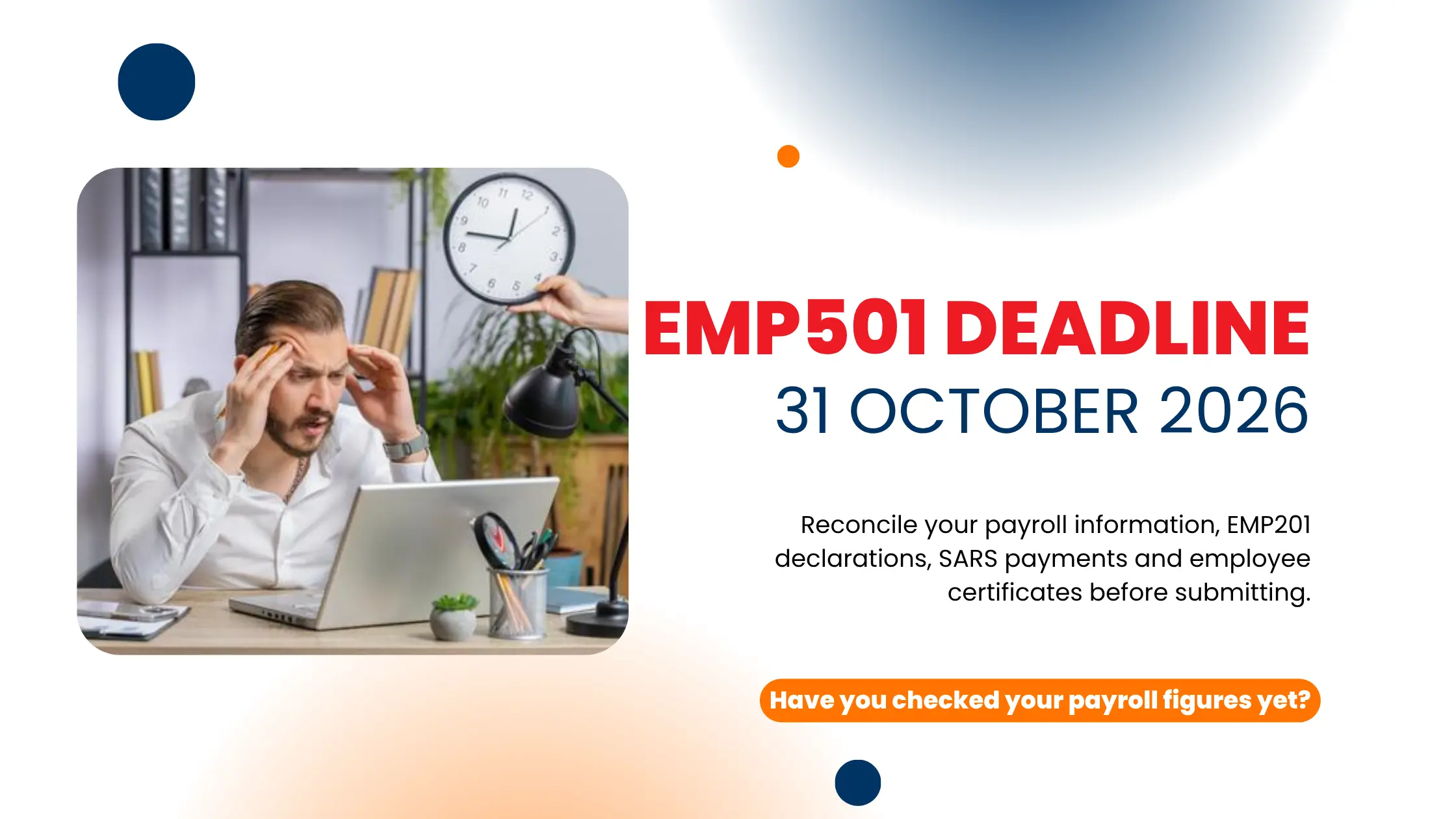
For the 2026 interim reconciliation, the deadline is 31 October 2026.
Before submitting, take the time to check your EMP201 declarations, SARS payments, payroll information, employee tax numbers and IRP5/IT3(a) certificates.
If something does not match, investigate it now.
And if you need help managing your payroll or employer compliance obligations, Biz Evolution can help you get your records and submissions on the right track. Contact us Today for easy EMP501 filing.
Frequently Asked Questions About EMP501
EMP501 is an employer reconciliation declaration submitted to SARS. It reconciles relevant employer tax information, including EMP201 declarations, payments and IRP5/IT3(a) certificates.
EMP201 is the employer’s monthly declaration, while EMP501 is the reconciliation of the relevant employer tax information for the reconciliation period.
You need accurate payroll and employee information, relevant EMP201 declarations, actual payments made to SARS and IRP5/IT3(a) employee tax certificate information.
SARS states that employees who require Income Tax numbers must have valid numbers for the employer reconciliation. Missing or invalid numbers can result in an EMP501 submission being rejected.
A discrepancy can occur when payroll figures, EMP201 declarations, SARS payments or IRP5/IT3(a) information do not agree. The best approach is to identify where the difference originated rather than changing figures simply to force the reconciliation to balance.
SARS advises employers to check the submission status and PAYE Dashboard after submission to confirm that the reconciliation has been received and processed.