If you employ staff, 31 October 2026 is an important SARS deadline.
The 2026 interim EMP501 reconciliation must be submitted by 31 October 2026, covering the six-month period from 1 March 2026 to 31 August 2026. The submission period opened on 21 September 2026.
But an EMP501 is not simply a form you submit because a deadline is approaching.
It is a reconciliation of your payroll, employee tax information, PAYE, UIF, SDL where applicable, payments made to SARS and employee tax certificates. If those records do not agree, the problem can become much harder to resolve when you’re already up against the deadline.
For employers who have not yet started preparing, the real question is not:
“When is the EMP501 deadline?”
It is:
“Does my payroll actually reconcile with what I’ve already declared to SARS?”
Here’s what you need to know before 31 October.

When is the EMP501 deadline in 2026?
The EMP501 deadline for the 2026 interim reconciliation is 31 October 2026.
| EMP501 requirement | 2026 interim reconciliation |
|---|---|
| Submission opened | 21 September 2026 |
| Deadline | 31 October 2026 |
| Reconciliation period | 1 March 2026 – 31 August 2026 |
| Submission channels | SARS eFiling or e@syFile™ Employer |
| Employee certificates | IRP5/IT3(a) |
| Key payroll taxes | PAYE, UIF and SDL where applicable |
SARS states that employers must reconcile their declarations for the first six months of the reconciliation year and submit the EMP501 through eFiling or e@syFile™ Employer.
So if your business has employees, now is the time to review the numbers, not 31 October at 4:55 pm.
What is an EMP501?
The EMP501 is the Employer Reconciliation Declaration submitted to SARS.
It allows SARS to compare information relating to your employees’ tax and payroll records for the relevant reconciliation period.
That includes information such as:
- PAYE
- UIF
- SDL, where applicable
- Payments made to SARS
- Payroll information
- Employee tax reference numbers
- IRP5/IT3(a) certificates
- Employment Tax Incentive (ETI), where applicable
The important part is the word “reconciliation.”
Your EMP501 should not be treated as an isolated submission. The figures need to make sense when compared with your payroll records, EMP201 declarations and payments made to SARS.
SARS specifically requires the PAYE, UIF and SDL values to be reconciled with previously submitted EMP201 returns, while actual payments and employee information must also be accurately reflected.
Why your EMP501 can become a problem before you realise it
A payroll can look correct on the surface while still containing reconciliation issues.
For example, imagine your business has:
- 12 employees
- monthly payroll processed throughout the six-month period
- several salary adjustments
- one employee who joined during the period
- another who left
- PAYE corrections
- UIF and SDL calculations
- employee tax numbers that were not captured correctly
Individually, those changes may seem manageable.
But when everything is brought together for the EMP501, differences can appear.
You may discover that:
- your EMP201 figures don’t agree with payroll;
- a payment made to SARS wasn’t captured as expected;
- an employee’s tax number is missing or invalid;
- an IRP5/IT3(a) contains incorrect information;
- payroll was amended but the SARS declaration wasn’t;
- PAYE was calculated incorrectly;
- ETI information doesn’t reconcile; or
- previous payroll corrections were never properly reflected.
This is why EMP501 preparation should be treated as a payroll review, not just an administrative task.
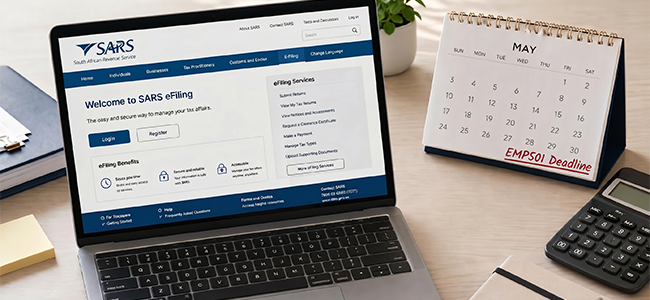
7 things to check before submitting your EMP501
1. Reconcile your EMP201 declarations
Start with the monthly EMP201 returns you submitted between 1 March and 31 August 2026.
Check whether your payroll records agree with the PAYE, UIF and SDL amounts declared.
If your payroll says one amount while your EMP201 says another, don’t simply submit the EMP501 and hope the difference disappears.
Find the reason for the difference first.
2. Check your actual SARS payments
Your declarations and your payments are two different things.
Review the payments your business actually made to SARS during the reconciliation period.
SARS specifically requires the EMP501 to reflect actual payments made during the period, excluding penalties and interest.
This is an area where businesses can create unnecessary reconciliation problems if payment records aren’t properly matched.
3. Check every employee’s tax number
This is particularly important for the 2026 EMP501.
SARS says valid Income Tax reference numbers are mandatory for employer submissions. Missing or invalid numbers may delay processing or result in EMP501 submissions being rejected.
Before you submit, review your employee masterfile.
Check:
- employee name;
- ID/passport information;
- tax reference number;
- employment dates;
- remuneration information; and
- tax certificate information.
Don’t wait until your submission fails to discover that an employee’s information is incomplete.
4. Review your IRP5/IT3(a) information
Your employees rely on their tax certificates when completing their own tax affairs.
Incorrect employer information can therefore create problems beyond the employer’s own reconciliation.
SARS has emphasised that employer information feeds into employees’ tax assessments and tax-return information.
Before submitting, review the certificates for obvious discrepancies and make sure they agree with your payroll records.
5. Check PAYE, UIF and SDL
Don’t look at PAYE in isolation.
Your reconciliation should consider the relevant employer obligations together.
Look for:
- unusual month-to-month changes;
- manual adjustments;
- payroll corrections;
- employee movements;
- changes in remuneration;
- UIF discrepancies;
- SDL discrepancies where applicable; and
- unexplained differences between payroll and EMP201s.
A sudden difference is not necessarily proof that something is wrong, but it is a reason to investigate.
6. Review ETI if you claimed it
If your business claimed the Employment Tax Incentive, make sure the information has been correctly captured and reconciled.
This is especially important because SARS states that employers with unused ETI can forfeit the benefit where the employer is non-compliant or fails to submit the reconciliation.
Don’t treat ETI as an afterthought when preparing your EMP501.
7. Don’t forget to check the submission status
Submitting the EMP501 isn’t necessarily the end of the process.
SARS recommends that employers check the submission status and PAYE Dashboard after submitting to confirm that the reconciliation has been successfully processed.
Keep evidence of the submission for your records.
What happens if you miss the EMP501 deadline?
Missing the 31 October 2026 EMP501 deadline can have financial consequences.
SARS states that late submission penalties are calculated at 1% of annual PAYE, increasing by 1% for every month the return remains outstanding, up to a maximum of 10%.
There can also be consequences where incorrect payroll calculations result in PAYE shortfalls, including penalties and interest.
For employers claiming ETI, non-compliance can also affect unused ETI.
And there’s another reason not to leave the submission until the last minute:
fixing a payroll problem takes longer than submitting a clean reconciliation.
What if your payroll doesn’t reconcile?
This is where many employers make the mistake of rushing to submit.
If your numbers don’t agree, first identify why.
For example:
Payroll: R85,000 PAYE
EMP201 declarations: R82,000 PAYE
Difference: R3,000
The difference could potentially relate to a correction, payroll adjustment, incorrect declaration, payment issue or another underlying error.
The answer isn’t to randomly change figures until they match.
Instead, trace the difference back through:
Payroll → EMP201 → SARS account/payment → EMP501
That creates a much more defensible reconciliation process.
If the difference cannot be explained internally, getting professional assistance before submitting may save you from creating a bigger compliance problem.
e@syFile or SARS eFiling: which can you use?
SARS provides two main electronic channels for EMP501 submissions:
SARS eFiling
SARS says employers can submit through eFiling, subject to the applicable certificate limit.
For the 2026 interim reconciliation, SARS states that eFiling submissions are subject to a maximum of 50 IRP5/IT3(a) certificates per submission.
e@syFile™ Employer
e@syFile™ Employer can be used by employers regardless of the number of employee tax certificates being submitted.
Whichever channel you use, make sure you’re using the latest SARS version and requirements applicable to the 2026 reconciliation.

A simple EMP501 checklist for employers
Before clicking submit, work through this list:
☐ Payroll for 1 March–31 August 2026 has been reviewed
☐ EMP201 declarations have been checked
☐ PAYE has been reconciled
☐ UIF has been reconciled
☐ SDL has been reconciled where applicable
☐ Actual SARS payments have been checked
☐ Employee tax numbers have been verified
☐ Employee information is accurate
☐ IRP5/IT3(a) information has been reviewed
☐ ETI has been checked where applicable
☐ Differences have been investigated
☐ Latest SARS software/requirements are being used
☐ EMP501 has been submitted
☐ Submission status has been checked
☐ Proof of submission has been retained
Deadline: 31 October 2026.
Don’t let an EMP501 deadline expose a payroll problem
One of the biggest lessons from the EMP501 process is that payroll compliance starts long before the reconciliation deadline.
If payroll is processed accurately every month, employee information is maintained and EMP201 declarations are reviewed regularly, the EMP501 becomes much easier to complete.
But if payroll has been treated as something that simply needs to be processed every month, October can expose problems that have been accumulating since March.
That is why employers should think about payroll as part of their wider accounting and compliance system, not as a standalone administrative task.
If you’re also trying to keep your books, VAT, tax returns and SARS obligations up to date, having these functions properly coordinated can make a significant difference.
Need help with your EMP501?
If your EMP501 deadline is approaching and your payroll doesn’t reconcile, don’t wait until the final days of October to start investigating.
At Biz Evolution, we assist businesses with payroll, accounting, tax and SARS compliance, helping employers understand what needs to be submitted and resolve discrepancies before they become bigger problems.
Our support includes payroll services, bookkeeping, tax returns and SARS compliance support.
You can also read our more detailed guide: EMP501 Explained: A Guide for South African Employers and use our Payroll Services if you need ongoing payroll support.
For broader SARS filing guidance, see our SARS Tax Return South Africa: The Complete 2026 Guide.
If your business needs help with its accounting records as well, our Bookkeeping Services can help keep the financial information behind your compliance obligations organised.
Don’t wait for 31 October to find out that your payroll doesn’t reconcile.
Frequently Asked Questions
The 2026 interim EMP501 deadline is 31 October 2026. The reconciliation period opened on 21 September 2026 and covers 1 March 2026 to 31 August 2026.
The 2026 interim reconciliation covers the period 1 March 2026 to 31 August 2026.
Employers who are subject to employees’ tax/PAYE obligations must comply with the employer reconciliation requirements applicable to their business.
Yes. SARS allows EMP501 submissions through eFiling or e@syFile™ Employer, subject to the applicable submission requirements and certificate limits.